How to Use a Coffee Machine in the Office
Using a coffee machine in the office usually comes down to a few simple steps: check the water and coffee supply, switch on the machine, choose your drink, position your cup and start brewing. Once your coffee is ready, leave the machine clean and ready for the next person.
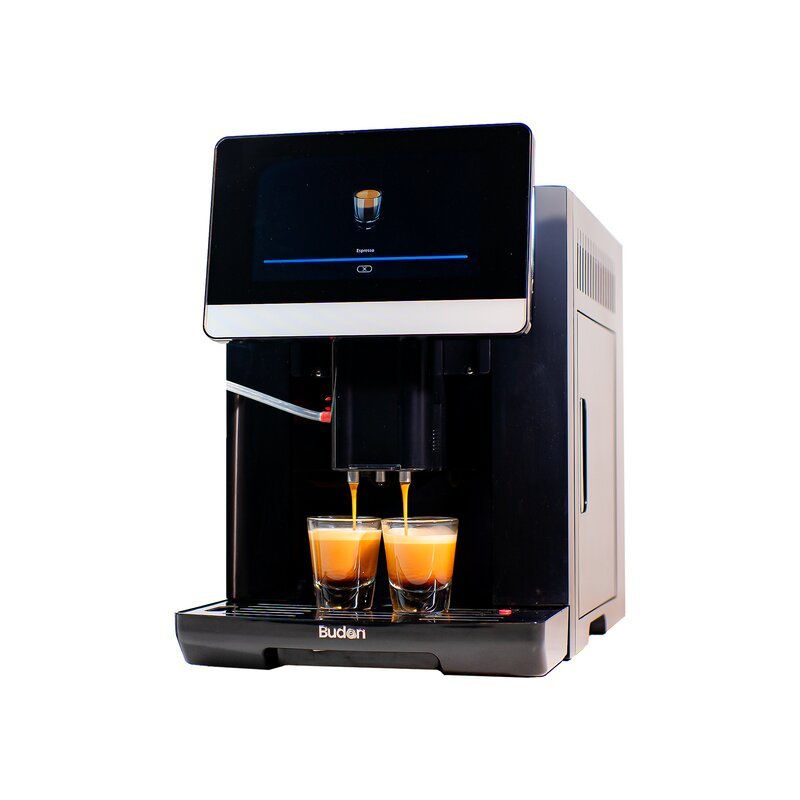
The exact controls vary between machines. A fully automatic coffee machine may grind, dose and brew at the touch of a button, while pod and semi-automatic machines require different levels of preparation.
Here is a practical guide to using a coffee machine in an office safely and consistently.
How to Use an Office Coffee Machine Step by Step
1. Check the Water and Coffee
Before switching to a drink programme, make sure the machine has everything it needs.
For a bean-to-cup machine, check the water reservoir and bean hopper. If your office uses a pod or capsule machine, make sure you have the correct compatible capsule.
If the selected drink requires milk, check the machine's milk container or milk system according to its instructions.
2. Switch On the Machine
Turn the machine on and allow it to complete its startup process.
Automatic machines may need time to heat the water or perform an initial rinse. Wait until the display or indicator confirms that the machine is ready.
Offices looking for equipment designed for shared workplace use can compare office coffee machines according to their brewing requirements.
3. Place Your Cup Under the Outlet
Position the cup centrally below the dispensing spout.
Choose a cup large enough for the selected drink. An espresso requires considerably less space than an Americano, latte or cappuccino.
4. Select Your Drink
Use the machine's buttons, touchscreen or control panel to choose the required coffee.
Depending on the machine, available options may include espresso, Americano, black coffee, cappuccino or latte.
On shared machines, avoid changing saved recipes or default settings unless you know how to restore them.
5. Adjust the Available Settings
Some machines allow you to adjust coffee strength, drink volume, temperature or milk quantity.
Only change settings supported by the machine. If you don't recognise a setting, check the manufacturer's instructions rather than guessing.
A fully automatic coffee machine can reduce manual preparation when several people need to use the same machine throughout the working day.
6. Start the Brewing Cycle
Start brewing and allow the machine to complete the selected programme.
Bean-to-cup machines may grind coffee immediately after you make your selection, so a short delay before dispensing begins is normal.
Wait until the complete brewing cycle has finished before removing your cup.
How to Make Black Coffee in an Office Coffee Machine
If you want black coffee, look for options such as black coffee, espresso, lungo or Americano on the machine's menu.
These drinks are not necessarily the same. Espresso is a small concentrated extraction, while an Americano generally combines espresso with additional hot water. A machine with a dedicated black-coffee programme may use a different recipe.
Avoid cappuccino, latte and other milk-based programmes when you want coffee without milk.
If the machine does not have an obvious black-coffee option, check its operating instructions rather than assuming which programme to use.
Does the Process Change for Different Office Coffee Machines?
Yes. How you operate a coffee machine depends on the type installed in your office.
Fully Automatic Coffee Machines
These machines automate much of the preparation process. Depending on the model, they may grind beans, dose coffee, brew and prepare selected milk-based drinks after the user chooses a beverage.
Pod or Capsule Machines
A pod machine generally requires you to add water when necessary, insert a compatible capsule, position the cup and start brewing.
Used capsules should be removed or disposed of according to the machine's design.
Semi-Automatic Espresso Machines
Semi-automatic machines require more hands-on preparation. Coffee may need to be ground, measured into a portafilter and tamped before espresso extraction.
Milk drinks may also require manual steaming.
Coffee Vending Machines
Coffee vending machines focus on quick, repeatable drink preparation. The user typically chooses a beverage from a menu and allows the machine to dispense it.
For workplaces with frequent drink demand, coffee vending machines for office provide another type of automated office setup.
How to Clean an Office Coffee Machine After Use
Cleaning requirements depend on the machine, so always follow the manufacturer's instructions.
For routine shared use:
- Wipe away visible coffee or milk spills.
- Empty the drip tray when required.
- Empty the used-coffee container before it becomes full.
- Dispose of used capsules where applicable.
- Clean milk-contact components according to the machine instructions.
Descaling is different from everyday cleaning. It removes mineral deposits that can build up inside the machine, and the required frequency depends on factors such as the machine, usage and water hardness.
Avoid creating your own fixed cleaning or descaling schedule when the manufacturer provides specific instructions.
Common Office Coffee Machine Problems and What to Check
The Machine Will Not Brew
First check the basic supplies and removable components.
Make sure there is sufficient water and coffee, the drip tray and grounds container are correctly fitted, and the machine is not displaying a warning that requires attention.
The Machine Displays a Full Grounds Container Warning
Empty the grounds container according to the manufacturer's instructions and reinstall it correctly.
Reset procedures vary between machines, so follow the specific instructions rather than repeatedly switching the machine on and off.
Coffee Is Dispensing More Slowly Than Usual
A slow pour can have several causes depending on the machine, coffee and maintenance condition.
Check for warning messages and required cleaning before attempting to change internal settings or components.
The Coffee Tastes Different
Changes in beans, grind, water, machine settings and cleanliness can all affect the final cup.
If your office setup involves grinding beans separately, using a consistent coffee grinder can help maintain the grind required for the chosen brewing method.
Change one controllable variable at a time rather than adjusting several settings together.
Office Coffee Machine Etiquette
Using a shared office coffee machine also means considering the next person.
If you finish the water, beans or another shared consumable, refill it when appropriate. Remove your cup when brewing is complete and avoid interrupting another person's brewing cycle.
Report error or maintenance messages instead of repeatedly dismissing them.
If you change a shared drink setting temporarily, restore it afterwards so the next user doesn't unknowingly receive your customised recipe.
What Matters When an Office Uses a Coffee Machine Every Day?
For everyday workplace use, consistency and ease of operation matter more than having the longest possible list of features.
The machine should be appropriate for the number of people using it and the drinks they regularly prepare. A small team making a few coffees each day has different requirements from a workplace where many employees use the machine during the same morning or lunch break.
The amount of cleaning required also matters. A machine may be easy to brew with but still unsuitable for a workplace if its maintenance routine cannot be followed consistently.
Something’s Brewing's office coffee brewers cover different workplace brewing requirements, while a detailed buying decision should consider team size, daily consumption and preferred drinks.
Make Office Coffee Simple for Everyone
Learning how to use a coffee machine in the office is mainly about understanding the specific machine and following a consistent process.
Check the supplies, wait until the machine is ready, choose the correct programme, let the brewing cycle finish and follow the required cleaning procedure.
Keeping basic instructions near a shared machine can also help employees use it consistently, particularly when new team members or visitors need to prepare a drink.